
Last week we got in our first shipment of the new Cobra 9930 radar detector. The XRS-9930 has a display that is unlike any detector that is currently on the market. In this post, I am going to talk in depth about this new display and provide lots of pictures.
Cobra calls this new display a "FULL-Color Extreme Bright DataGrafix™" display, but I'm just going to call it a "graphical display" as that seems to fit and sounds less gimmicky. Anyway, the best way to describe this display is that it looks like a small television or computer screen and, like those objects, it seems to be capable of displaying any color or shape. Take a look:
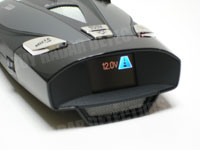
As you can see, this is a little different. First off, you'll notice that there is room for several bits of information. In the image above you can see the battery voltage meter, digital compass headings, and an icon representing highway mode. On a normal text display, standard on most mid-range and high-end detectors, there would only be room for one of these fields.
Alerts
The display, at 21mm x 15mm, is not nearly as wide as most detectors but is twice as tall. Because of this, I was curious about how an alert would be presented. A typical detector would show a horizontal bar graph representing the signal strength and, with such a narrow display, I wasn't sure that this approach would have been readable on the 9930.
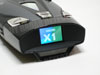
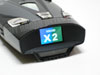
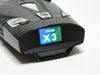
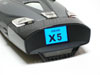
Apparently Cobra agreed because, when an alert is received on the 9930, the display changes and the band detected is shown in a large font followed by a number 1 through 5 representing the signal strength. During the alert, the background also flashes slightly. I think this is an effective way of displaying the alert. The large font makes the band and signal strength clearly readable, and the flashing background has a decent chance of catching my attention if the volume is low or off.
 |
 |
 |
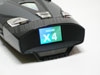 |
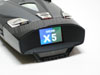 |
Brightness / Readability
I took the Cobra 9930 on a brief road test to get an idea of how the display looked during normal driving conditions. During the day, which was moderately sunny, glare was definitely apparent on the display and this made it considerably more difficult to read, though not impossible. In the same lighting I feel like the red display of a Bel RX65, which I normally use, would have been more readable.
In the evening and at night, the display looks fantastic and is incredibly easy to read.
Settings
The settings menu is where the graphical display has a clear advantage over other types of displays. With most detectors, the settings interface is anything but user friendly. This is understandable, because with a text display only so many letters can be shown at a time. Cobra has certainly taken advantage of their graphical display by providing a very user friendly settings interface with the 9930. Here are a few pictures.
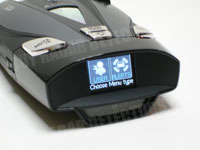 |
Pressing the MENU button takes you to a title menu where you can choose between User Settings or Alert Settings. Pressing the leftmost button the the detector will choose the left option, the rightmost button will choose the option to the right. |
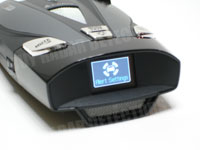 |
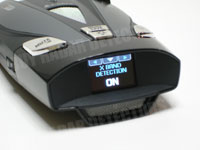
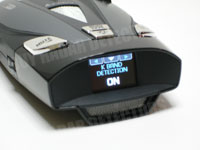
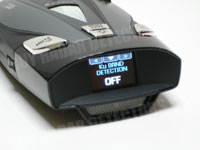
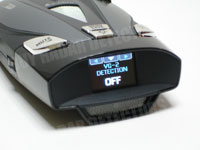
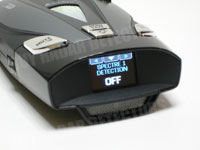
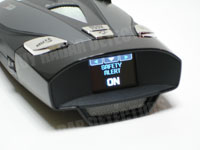
After choosing the Alert Settings option, this title screen appears briefly. Alert settings allow you to enable or disable each type of alert. The following is each option, and it's default value. Click the setting name to see an image of the setting (use your browser's back button to get back). POP Detection - OFF X Band Detection - ON K Band Detection - ON Ku Band Detection - OFF VG-2 Detection - OFF Spectre 1 Detection - OFF Safety Alert - ON |
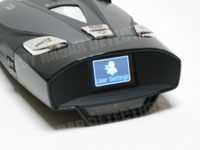 |
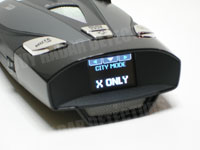
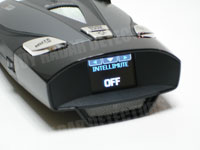
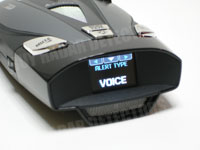
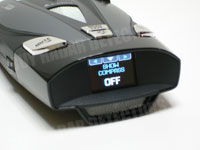
After choosing the User Settings option, this title screen appears briefly. User settings allow you to enable or disable all other types of settings, or restore the factory defaults. The following is each option, and it's default value. Click the setting name to see an image of the setting (use your browser's back button to get back). City Mode - X ONLY Intellimute - OFF Auto Mute - ON Alert Type - VOICE Show Compass - OFF Smart Power - ON Display - DIM Color Theme - MULTI Car Voltage - ON Warn Low Car Voltage - ON |
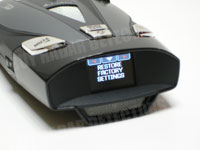 |
The last option under user settings is to restore factory defaults. After choosing to restore defaults, you are presented with a confirmation screen, followed by a completed screen. |




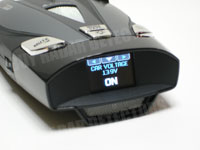
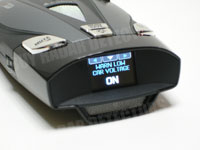
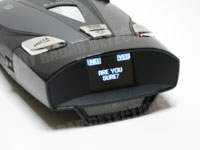

Color Themes
The Cobra XRS-9930 will allow you to choose from several color themes: blue, green, orange, red, or multiple colors. The multiple colors setting is the default. Here is the default display (with the compass enabled) in each color theme.
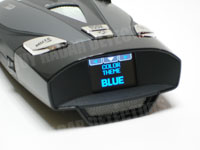 |
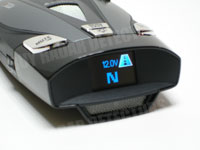 |
 |
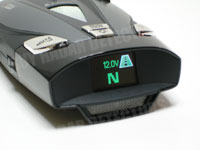 |
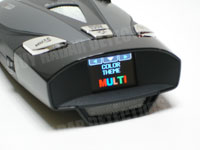 |
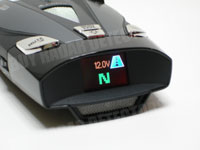 |
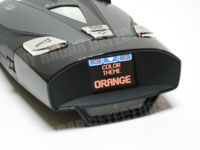 |
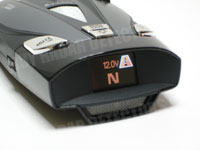 |
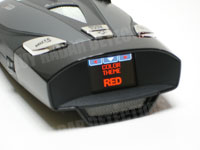 |
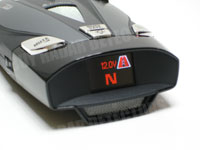 |
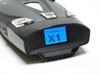
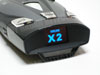
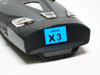
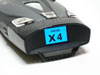
Wondering what alerts look like in a different color theme? Here is the same band alert from above, in the blue color theme. The background flashes from a dark to a light blue during the alert.
 |
 |
 |
 |
 |
Conclusion
I am impressed with the graphical display. I think it is more attractive and more user friendly than other types of displays. The glare problem is a concern. It did not make the display unreadable, but a longer test on a brighter day will be needed. Overall, I would consider the graphical display a nice-to-have feature, certainly not a must-have.
That being said, I feel the need to paraphrase something I said previously: Buy a detector based on range and false alert filtering, not the display!
These models are still very new, and none of the testing web sites have tested these models yet. However, I have no reason to believe that they will perform any better than last years Cobra models -- which didn't perform nearly as well as the Bel and Escort detectors. If you have decided that a Cobra model is right for you and you think this display would look great in your car, then go for it. Do not, however, take the 9930 over a better performing detector simply because of the display.
Danny
The XRS 9985 is identical to the XRS 9930. I believe the 9985 is a model that created specifically for Radio Shack, but there is no difference in the products.
I have used it on many long Canadian highways, and it kicks my Bel X65 anytime and it does not false as much as the Bel X65 either!
Very happy,
Darren
All so dose it work on speed cams & red light cams to.
and wat will it cost to get it down here per unit?
Thank You
..Jerry..
Used in South Africa on the N3 and I guess in Australia POP Laser is used as well. It works well, but purchased here in Canada first.
ihave just one question
wich is the distance aprox for the cobra xrs 9930 to read a pop gun in front ???
thank you in advence
and if its usefull how can i get it ?
thanks
thanks
please let me know and than you.
out of the USA to Australia and will thay work in Aus.
If so how much in total to send it to us.
Thanks Greg.
thanks alot for help
KB
4 weeks ago I bought a Cobar XRS 9930 Radar Detector device.
The OLED display is not working properly because the contrast is not strong enough.
I can see all information perfectly at night, but during the day when the sun is rising i can see nothing.
I have red some information abought this "wide spread problem" this model.
Can I purchase the OLED display to my Cobra XRS 9930.
Or this problem is caused by a driver IC on the motherboard?
Does anyone know what could be the solution?
I need your help
PLEASE HELP ME.
Thank you in advance for your answer.
This was the first thing that came in contact with them.
2 days there has been no reply to anything.
I bought it in eBay and get 1 week replacement warranty.
I think the money failed.
Thank you for your help
I'll try it.
Thanks for all help!
Cobra XRS 969 is exactly the same as a XRS 9840, is this true? Second, is the XRS 9840 & the XRS 9930 the same except one has multi color (9930) and the other just the blue (9840)?? Thanks so much for your help...Respectively Doug